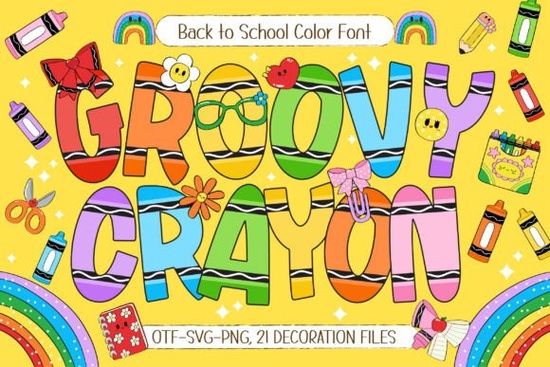
If you're creating back-to-school materials, classroom decor, or playful printables for kids, the Groovy Crayon Font offers a cheerful and hand-drawn look that feels both nostalgic and fresh. Designed with bold, crayon-style letterforms and packed with colorful variations, it’s made for anyone who wants to add a touch of childlike creativity to their projects without spending hours illustrating by hand.
This isn’t just a single-color font. Groovy Crayon comes with seven vibrant color layers, so you can mix and match shades to create a rainbow effect or stick to one hue for simpler designs. Plus, it includes 21 school-themed doodle cliparts think apples, pencils, books, and stars that pair perfectly with lesson plans, welcome banners, or student reward charts.
What kinds of projects work best with Groovy Crayon?
Because of its friendly, hand-sketched style, this font shines in any context where warmth and approachability matter. Teachers use it for:
- Classroom name tags and door signs
- Flashcards and educational worksheets
- Bulletin board headers and seasonal displays
Crafters and small business owners also love it for:
- Kids’ birthday invitations and party favors
- T-shirt designs featuring positive affirmations or fun phrases
- Stickers, scrapbook embellishments, and DIY greeting cards
If you’ve ever tried using standard fonts for children’s content and found them too stiff or generic, Groovy Crayon solves that problem by mimicking the imperfect charm of real crayon drawings complete with subtle texture and whimsical outlines.
How does it compare to other playful fonts?
Not all “fun” fonts are created equal. Some lean too cartoonish, while others lack legibility at smaller sizes. Groovy Crayon strikes a balance: it’s expressive but still readable, even in short headlines or labels. And unlike basic outline fonts, its built-in color layers mean you don’t need advanced design software to achieve a multi-hued look.
If you enjoy fonts with personality but want something more structured than freehand scribbles, you might also like the Friendship Bracelet Font, which shares a similar handmade vibe but with a different aesthetic think summer camp crafts rather than classroom energy.
Do I need special software to use the color features?
No but your results will vary depending on your program. The color layers work best in design tools that support OpenType SVG or layered fonts, such as Adobe Illustrator, Photoshop (CC 2017+), or Affinity Designer. If you’re using Canva, Cricut Design Space, or Silhouette Studio, you can still access the base outline version and manually add colors or effects.
Even without color, the black-and-white version holds up well for printing on worksheets, coloring pages, or laser-cut wood signs. The key is to treat it like a stencil: let the shape do the talking, then enhance it with your own palette if needed.
For those curious about how it stacks up against other options on Creative Fabrica, you can explore the full listing for Groovy Crayon Font to see previews, licensing details, and user reviews.
Tips for getting the most out of this font
Here’s how to make your designs pop without overcomplicating things:
- Pair it wisely. Use a clean, simple sans-serif (like Montserrat or Nunito) for body text or instructions. Let Groovy Crayon handle headlines and titles only.
- Don’t overcrowd. Because each letter has decorative edges, spacing matters. Add extra letter-spacing if your software allows it.
- Use the doodles intentionally. Sprinkle cliparts near names or section dividers not as background noise. They’re meant to complement, not distract.
- Test print early. Colors may shift slightly depending on your printer. Do a small test sheet before committing to a full classroom set.
Whether you’re a teacher prepping for the new school year, a POD seller designing kids’ apparel, or a parent making personalized lunchbox notes, Groovy Crayon adds authenticity and joy without demanding extra effort. Its blend of structure and spontaneity makes it a reliable go-to for anything aimed at young learners or the young at heart.
Before you start: Make sure your project aligns with the font’s personal or commercial license (check the product page), and always preview how it looks at your intended size. A little planning goes a long way in keeping your final result crisp, clear, and full of crayon-fueled charm.
Download Now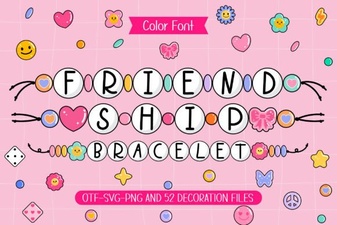 Friendship Bracelet Patterns & Lettering Guides
 Creative Ideas with the Letterland Font
 Monarch Heritage Font: Design Elegance for Modern Projects
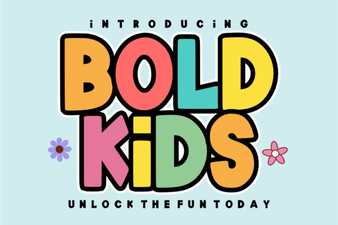 Creative Font Projects for Bold Kids
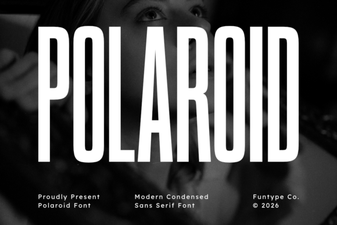 Crafting Projects with the Polaroid Font Style
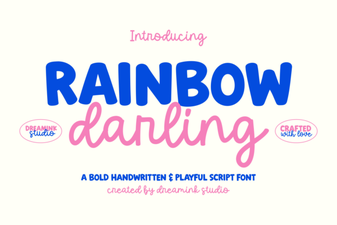 Rainbow Darling Duo: a Creative Pair for Bold Designs