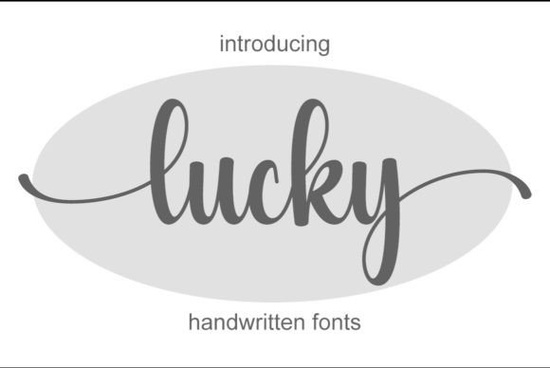
If you're looking for a handwritten font that feels personal but still polished, Lucky Font might be exactly what your next project needs. It’s light, graceful, and full of subtle character ideal for everything from wedding stationery to boutique branding. What makes it especially handy is that it’s PUA encoded, so accessing alternate glyphs and swashes is straightforward in most design software.
Handwritten fonts like Lucky work best when they strike a balance between authenticity and readability. This one leans into delicate strokes and natural flow without becoming too ornate or hard to read at smaller sizes. That makes it surprisingly versatile for both digital and print use.
What kinds of projects is Lucky Font good for?
You’ll find this font shines in contexts where warmth and personality matter:
- Wedding invitations and save-the-dates – its soft curves complement floral motifs and minimalist layouts alike.
- Small business logos – especially bakeries, boutiques, or wellness brands wanting a friendly yet refined look.
- Social media graphics – quotes, announcements, or product highlights feel more human with a script like this.
- Product packaging or labels – think artisanal candles, skincare, or gourmet foods.
- Print-on-demand items – mugs, tote bags, or greeting cards benefit from fonts that feel handcrafted.
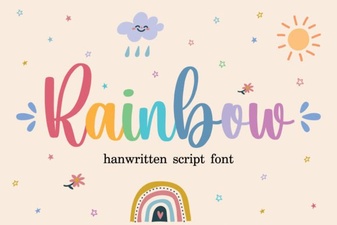
If you’re comparing options, you might also like The Wedding Signature for ultra-formal events or Rainbow Font if you want something with more playful energy.
How do I use all the extra characters in Lucky Font?
Because Lucky is PUA (Private Use Area) encoded, you don’t need special plugins to access its full set of alternates, ligatures, or ending swashes. In programs like Adobe Illustrator, Photoshop, or even Canva (with OpenType support), you can open the Glyphs panel and browse all available characters. This means you can easily swap out letters for stylistic variants to avoid repetition or add flair to specific words.
For example, typing “Lucky” might give you a clean baseline version, but swapping the final “y” for an alternate with a trailing flourish can make a logo pop without needing a second font.
Is this font beginner-friendly?
Yes. While some script fonts require manual kerning or layering to look right, Lucky was designed with consistent spacing and clear letterforms. New designers can use it straight out of the box, and experienced users will appreciate the depth offered by the alternates.
That said, it’s always smart to test how it looks at different sizes. Like most delicate scripts, it may lose detail below 10–12pt in print, so reserve it for headlines, names, or short phrases rather than body text.
If you enjoy Lucky’s style but want bolder contrast, check out California Font. Or if you prefer something with more bounce and rhythm, Letterland offers a livelier alternative.
For those curious about licensing, Lucky Font comes with a commercial-use license on Creative Fabrica, which covers everything from client work to selling physical products perfect for Etsy sellers or small studios.
Tips for pairing Lucky Font with other typefaces
Since Lucky is a script, pair it with a simple sans-serif or serif for balance. Good companions include:
- A neutral sans like Montserrat, Lato, or Helvetica Neue
- A classic serif like Playfair Display or Cormorant Garamond
Avoid pairing it with another script or overly decorative font that can create visual clutter. Instead, let Lucky be the standout element and keep supporting text clean and minimal.
And remember: less is often more. One or two words in Lucky (like a name or tagline) can carry more impact than using it throughout an entire layout.
Before you download: a quick checklist
- ✅ Confirm your design software supports OpenType features (most modern tools do).
- ✅ Plan where you’ll use alternates maybe for the first and last letters of a name?
- ✅ Test print samples if using for physical products (ink spread can affect fine lines).
- ✅ Review the license terms even though it includes commercial use, some platforms have specific rules.
- ✅ Consider downloading a similar style like Lucky Font as a backup if you need multiple weights or versions.
Fonts like this add soul to your designs without overwhelming them. If your project calls for elegance with a human touch, Lucky Font is worth a try.
Get Started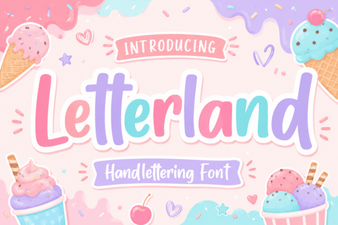 Creative Ideas with the Letterland Font
 Festive Fonts for Holiday Projects & Designs
 Rainbow Font Designs for Creative Projects
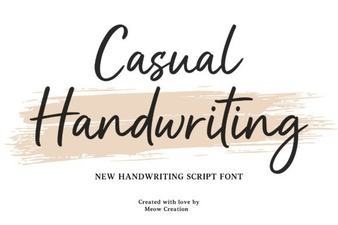 Handwriting Fonts: Inspiration for Your Creative Projects
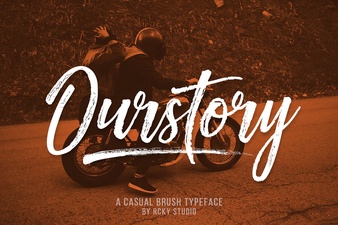 Ourstory Duo: Creative Font Pairing for Modern Designs
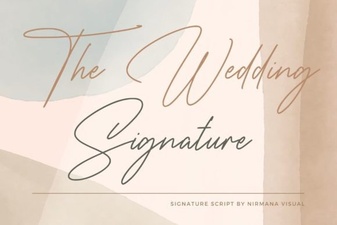 Elevate Your Wedding with Signature Typography